Showing posts with label google. Show all posts

Friday, December 29, 2023

Santa Tracker Tales: Nearly crashing Google's servers, Leaking Santa's data, and Angering an entire country

Back when I worked at Google, from 2006-2011, I spent many a December on my 20% project, the Santa Tracker. In those days, the tracker was a joint collaboration with NORAD, with the Googlers focused on making the map that showed Santa's journey across the world. I was brought in for my expertise with the Google Maps API (as my day job was Maps API advocacy), and our small team also included an engineer, an SRE, and a marketing director. It was a formative experience for me, since it was my first time working directly on a consumer-facing website. Here are the three incidents that stuck with me the most...

Nearly crashing Google's servers

Here's what the tracker map looked like:

Screenshot of Google map with Santa marker and presents

The marker is a Santa icon, it's positioned on top of his current location, and there's a sparkly trail showing his previous locations, so that families could see his trajectory.

We programmed the map so that Santa's moves were coordinated globally: we knew ahead of time when Santa should be in each location, and when the browser time ticked forward to a matching time, the Santa marker hopped to its next location. If 1 million people had the map open, they'd all see Santa move at the same time.

That hop was entirely coded in JavaScript, just a re-positioning of map markers, so it shouldn't have affected the Google servers, right? But our SRE was seeing massive spikes in the server's usage graphs every 5 minutes, during Santa's hops, and was very concerned the servers wouldn't be able to handle increased traffic once the rest of the world tuned in (Santa always started in Australia/Japan and moved west).

So what could cause those spikes? We thought at first it could be the map tiles, since some movements could pan the map enough to load in more tiles... but our map was fairly zoomed out, and most nearby tiles would have been loaded in already.

It was the sparkly trail! My brilliant addition for that year was about to crash Google's servers. The trail was a collection of multiple animated GIFs, and due to the way I'd coded it, the browser made a new img tag for each of them on each hop. And, as you may have guessed by now, there were no caching headers on those GIFs, and no CDN hosting them. Every open map was making six separate HTTP requests at the exact same time. Eek!

Our SRE quickly added in caching headers, so that the browsers would store the images after initial page load, and the Google servers were happy again.

Lesson learned: Always audit your cache headers!

Leaking Santa's data

How did the map know which location Santa should visit next? Well, if a 4 year old is reading this, it sent a request to Santa's sleigh's GPS. For the rest of you, I'll reveal the amazing technology backing the map: a Google spreadsheet.

We coordinated everything via a spreadsheet, and even used scripts inside the sheet to verify the optimal ordering of locations. We needed Santa to visit each of the locations before 10 pm in the local time zone, since one of goals of the tracker is to help parents get kids to bed by showing them that Santa's on his way. That meant a lot of zig zagging north to south, and some back and forth zig zagging to accomodate for time zone differences across countries.

We published that spreadsheet, so that the webpage could fetch its JSON feed. I think there were some years that we converted the spreadsheet to a straight JSON object in a js file, but there was at least one year where we fetched the sheet directly. That gave us the advantage of being able to easily update the data for users loading the map later.

We worried a bit that someone would see the spreadsheet and publish the locations, spoiling the surprise for fellow map watchers, but would someone really want to ruin the magic of Xmas like that?

Yes, yes, they would! We discovered somehow (perhaps via a Google alert) that a developer had written a blog post in Japanese describing their discovery of Santa's future locations in a neatly tabulated format. Fortunately, the post attracted little attention, at least in the English-speaking news that we could see.

Lesson learned: Security by obscurity doesn't work if your code and network requests can be easily viewed.

Angering an entire country with my ignorance

This is the most embarrassing, so please try to forgive me.

Background: I grew up in Syracuse, New York. I have fond memories of taking road trips with my family to see Niagara Falls in Toronto. The falls were breathtaking every time.

Fast forward 15 years: I'd been monitoring the map for 20 hours by the time Santa made it to the Americas, so I was pretty tired. I spent a lot of those hours responding to emails sent to Santa, mostly from adorable kids with their wishlists, but also a few from parents troubleshooting map issues. I loved answering those emails as PamElfa, my elf persona.

Suddenly, after Santa hopped to Toronto, we got a flood of angry emails. Why, they rightly wanted to know, did the info window popup say "Toronto, US" instead of "Toronto, CA"?

Oops. I had apparently managed to become a full-grown adult without realizing that Toronto is in an entirely different country. I hadn't remembered border crossing in my memories, so I had come to think that Toronto was in New York, or that at least half of it was. (How would that even work?? Sigh.)

I fixed that row in the data, but thousands had already seen the error of my ways, so I spent hours sending apology emails to justifiably upset Canadians (many of whom were quite kind about my mistake). So sorry, again, Canada!

Lesson learned: Double-check geopolitical data, especially when it comes to what cities belong to what countries.

Tuesday, July 23, 2013

What to look for in a software engineering culture

When I chat with new programmers that are interviewing for their first ever software engineering job, I encourage them to try to figure out if they'll be in a healthy engineering culture at the prospective job by asking the right questions. For a comprehensive run-down of what a great engineering team is made up of, I typically tell them to read Team Geek, a book by my former colleagues, but for a shorter list, I've written up this post with my own thoughts based on my experiences so far at Google and Coursera.

It's important to find a job where you get to work on a product you love or problems that challenge you, but it's also important to find a job where you will be happy inside their codebase - where you won't be afraid to make changes and where there's a clear process for those changes.

Here are some of the things that I look for:

Code Reviews

Are code reviews a regular part of their process?

Before my first job at Google, I had never experienced a code review before. Now that I have, I never want to submit code to a shared codebase without a review. The point of a code review isn't for another engineer to spot a flaw in your code (thought that can happen), the point is for them to make sure the code entering the codebase is following your team's conventions and best practices - to make sure that code "belongs". Code reviews are a great way for new engineers to learn how to work inside a new codebase, and also a way for existing engineers to discover best practices their colleagues have discovered in other projects, or learn about functionality they didn't realize they had.

Using the Mondrian tool at Google, we had a very clear code review process, where a changelist could not actually be submitted until the reviewer gave the "approval." Using Github's more lightweight code reviews at Coursera, we've had to come up with our own conventions on top of it, where the reviewer will say "Merge when ready" when they're happy or the reviewee will say "Please take another look" if they want a second review.

Regardless of the particulars of the process, you want to be on a team where code reviews are required for every bit of code, and the reviews are there to make everyone's code fit better together.

Coding Conventions

Do they follow standard conventions for every language in their stack?
Do they have their own conventions for the frameworks they use?

Google has publicly documented coding conventions for all their languages and internally, they actually have a formal process to verify that an engineer is well-versed in a particular language's conventions - you submit a 300-line code review in that language to a designated reviewer, and if it's approved, you've earned "readability" in that language and that grants you code submission rights. That process was quite useful as a learning tool for me, and it was a proud moment when I earned my JS readability badge, but that may be a bit much for most teams.

At Coursera, we document what coding conventions we follow for each language, and we try to use the industry standard if one exists, and then we encourage engineers to install plugins that will check for violations (like SublimeLinter with PEP8). We also have a build tool that uses JSHint to check for major JS syntax no-nos, and our Jenkins build tests for PEP8 violations. Besides the languages we use, we also document conventions for frameworks like Backbone.JS and come up with design guidelines for our REST APIs.

Basically, any time that there is a technology that can be used in multiple ways, and a team has decided upon a particular way to use it, that should be documented as a convention. As an engineer joining the team, you want to know that you'll have conventions to help you decide how to do what you do, so that your code will become part of a cohesive codebase.

Comments

Is complex code commented?
Are there readmes describing higher-level systems in the codebase?

We tend to think that our code is obvious, but, as the writers of it, we're obviously biased. That's why I think an important part of a good code review is for the reviewer to be honest when they're reading code that doesn't make immediate sense, and for them to ask for a comment to be added. I also find that sometimes higher-level overviews are needed for systems that span multiple parts of the codebase, and those may be particularly useful for new engineers that join and find themselves tasked with adding to an existing system.

Tests

Are there any tests?
What kind of tests?
How often are the tests run?
Is there a testing requirement for new features?
Is there a testing engineer or testing team?

As it happens, many codebases start off as prototypes, with the engineers behind them thinking "Ah, we don't need to test this thing, we'll just throw it away." But then those untested codebases become the real product, and the longer a codebase goes untested, the harder it is to introduce tests. When we found ourselves in that situation at Coursera, we held a "Testathon", locking ourself in a room until we figured out how to test all the different parts of our codebases, and had written a few example tests for each part. Then, for every feature going forward, we made the question "are there tests?" a regular part of the code review process.

There are different approaches to testing that are all valid - some teams might practice TDD, where they write the tests before the regular code, some teams may require tests as part of writing code (but in whatever order the engineer prefers), and some teams may hire testing engineers and entrust them with writing the tests and keeping the tests stable.

The thing to look for is whether a team cares about testing at all, or if they simply rely on engineers writing "safe code". You do not want to join a team that expects you to magically write untested code that doesn't break other parts of the system that you've never seen and that will never be broken by another engineer's future code. You want to join a team that knows the value of tests, and is doing what they can to make that a part of the culture.

Release process

How often do they deploy their code?
How fast is the process?
How fast is the rollback?
Who's in charge of a deploy?

When I was working with the Google Maps team, we had weekly release cycles, and there'd be quite a few changes in each release. The team was big enough that there was a designated "build cop" who oversaw each release, checking the tests passed, deciding which changelists were worth a cherry pick, and monitoring the roll out of the release across the servers.

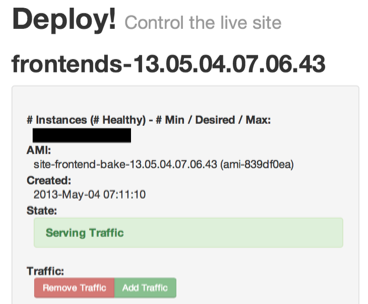
At Coursera, we wanted to be able to release smaller changes, more often - several times a day, if possible. It was hard at first because our deploys took 45 minutes - and so did our rollbacks! Fortunately, our infrastructure team came up with a new user-friendly deploy tool that takes only a few minutes to roll new code out to the AWS servers or roll it back. I used to have mini heart attacks every time I deployed, fretting over how horrible it would be if I accidentally took down the site, but now, I deploy happily because I know I can take it back quickly. Of course, we also have tests that are automatically run before deploys, and we always check the status of those first.

The deploy process can vary greatly across companies, and even in teams within a company, but the important thing is that there *is* a process, and ideally it's one that will allow you to spend most of your time writing code, not releasing it.

Post-mortems

Shit happens. When shit does happen, does the team take steps to prevent that shit from happening in the future?

At Google, I learnt the value of post-mortems, documents that detail the timeline of an issue, the "things that went right", the "things that went wrong", and assigned action items to prevent it that were actually reasonable to get done. We wrote up post-mortems for everything in the company, not just in engineering (I wrote up an epic post-mortem after a badly worded tweet landed me on TechCrunch, for example). We do the same at Coursera, and we share the post-mortems with the entire company and sometimes even with our university partners.

It's common-place these days for public-facing companies to put post-mortems on their blogs, and to me, it's a sign that the companies believe in being transparent to their users, and that's a good thing. You want to be at a company that regularly writes up post-mortems, because then you'll know that they care about learning from their mistakes and not just sweeping them under a carpet.

Stack Stability

How often are they changing their stack? Too often?

It's good to try out new technologies that can vastly improve a codebase, but it can also be a big time suck, and a sign that the focus is not in the right place. Plus, every time a team tries out a new technology, it almost always leaves a bit of code using the old stack, which leaves the codebase as a stack of legacy codebases that most engineers don't know how to touch.

Ideally, when you join a team, they will be able to tell you something like "We use X, Y, and Z. We are evaluating W due to repeated issues with X, and coming up with a plan to see whether the migration would be worth it." If there is a "W", that "W" is hopefully a tried-and-true technology, not the latest thing to hit the front page of HN, otherwise your team will be the one that has to learn all the quirks and drawbacks of "W" from scratch.

What else?

There are also things to look for in the broader company culture too, like communication, transparency, prioritization, humility, but that's a whole other post.

Now, don't expect every engineering culture to have gold stars on every bullet point - but, look for signs that they are headed in that direction, that they do sincerely want to make their codebase a place where everyone can enjoy coding and learning from each other.

What did I miss? Let me know in the comments what you look for!

Thursday, December 6, 2007

"Voices that Matter" Conference: GWT + Maps + Gears

Today at the last day of the "Voices that Matter" GWT conference, Dan Morril (of Valleywag-Muppet fame) and I presented a session on using the Maps + Gears API wrappers in GWT. (And yeah, I overslept, couldn't make a Caltrain time, and paid $100 for a taxi ride up to SF. One day I'll learn. Maybe.)

So Dan and I presented a pretty fun/useful combination of the two APIs: Offline Driving Directions. First I presented the non-Gears-ified Driving Directions example, which basically tries to mimic the Google Maps "to" and "from" box, complete with auto-suggest based on entered queries (using the nifty built-in MultiwordSuggestOracle), and of course, the directions steps and map overlays. Screenshot below:

Then, Dan showed how to make the app more functional by adding Gears, in two ways:

  1. Use the local Db to store entered queries, so the app remembers all queries we ever enter on that computer, regardless of browser shutdown. That data persistence makes our auto-suggest alot more useful.
  2. Use the local DB to store directions results (the text), and use the local server to capture the files used by the application.

Want to try it out yourself? First you need to download the google apis wrapper library (beta) here. Then download the zip file of the driving directions sample here. The gears version isn't up there yet, should be soon.

Note that you can't actually take the Maps API tiles and functionality offline with Gears, for a couple reasons. The local server can only store files that are on the same-domain as the app. That means it cannot be used to capture Maps API tiles or the Maps API script. It is technically feasible to download the script to your server and setup a proxy for the API tiles, but that would be against the (in)famous Maps API Terms of Use.